Product preview
A closer look at Prudexis workflows
See how Prudexis works in practice — from live dashboard to agentic hit review to investor screening queue. Everything your compliance team needs, in one workflow.
Operational dashboard
Live monitoring view
Start in the Review Queue to assess flagged matches, apply recommended dispositions, and keep analyst decisions consistent; then monitor watchlist totals, source-type distribution, feed freshness, and per-source runtime health in the dashboard.

Agent review output
Agent-generated hit assessment
Example of how the agent summarizes a screening hit, explains its rationale, and proposes a disposition for analyst review.
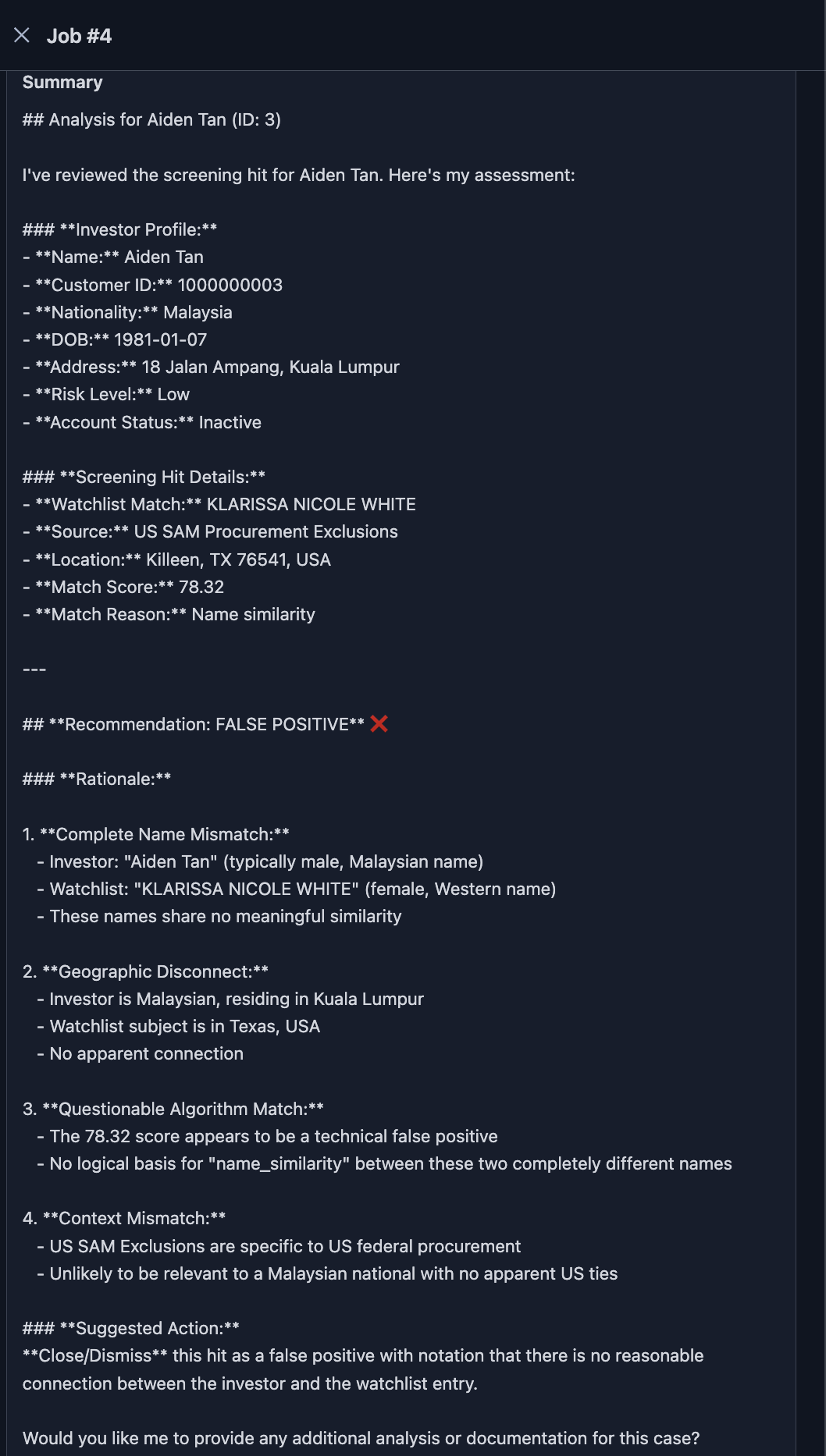
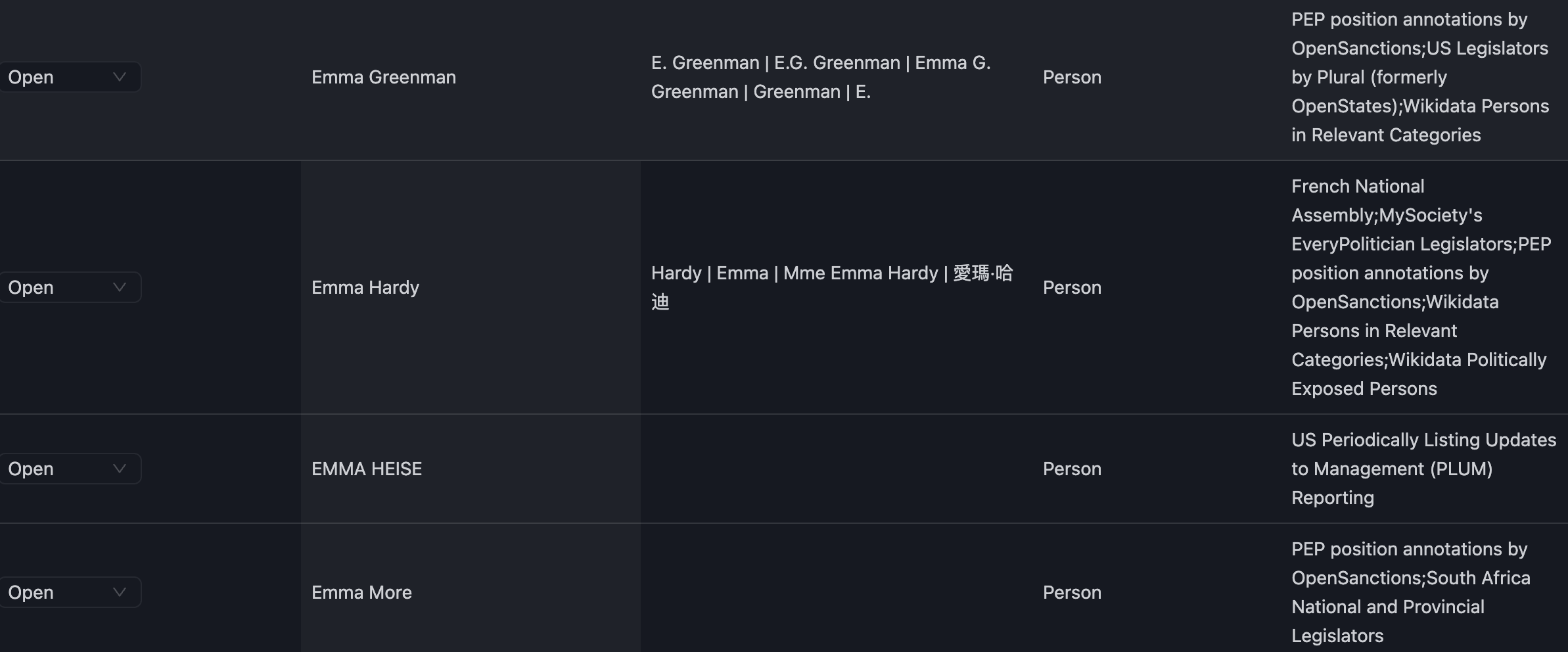
Open-hit match detail
Inspect individual matched names, aliases, entity type, and source-level context.
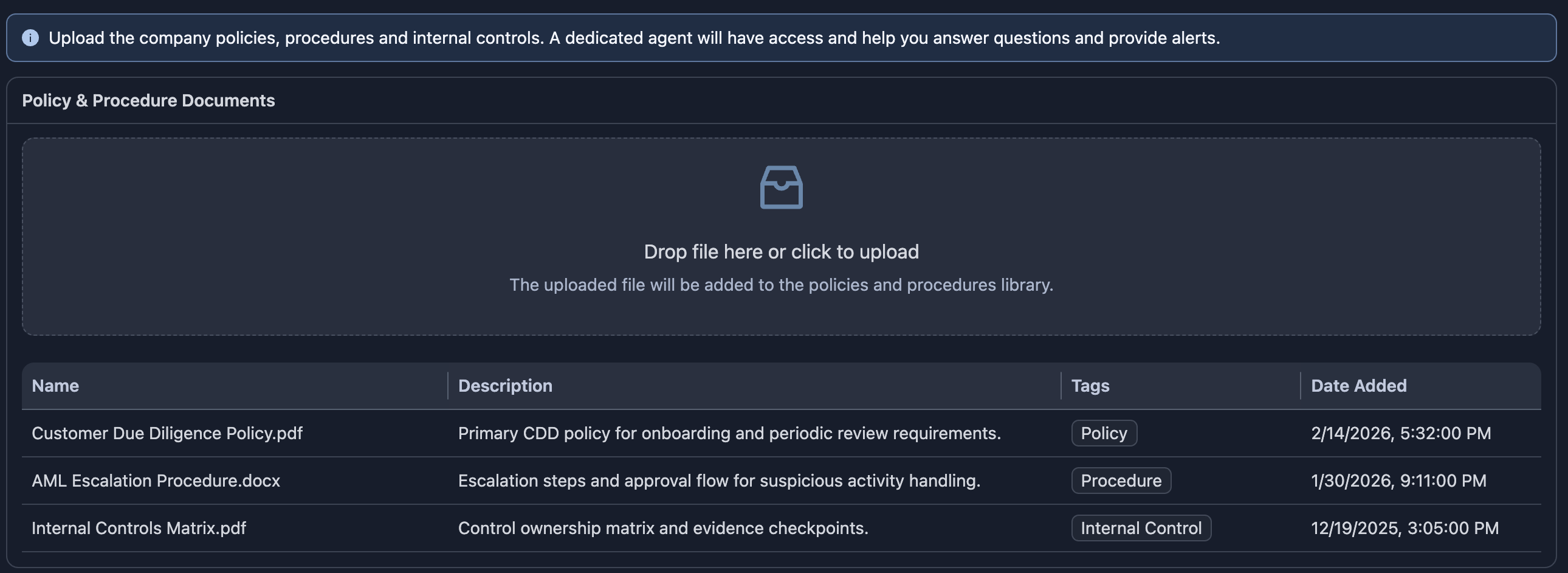
Document evidence view
Access uploaded files, timestamps, and reviewer notes used for verification.

Policy and procedure updates
Update internal policies and procedures so the agent applies the latest compliance guidance during review.
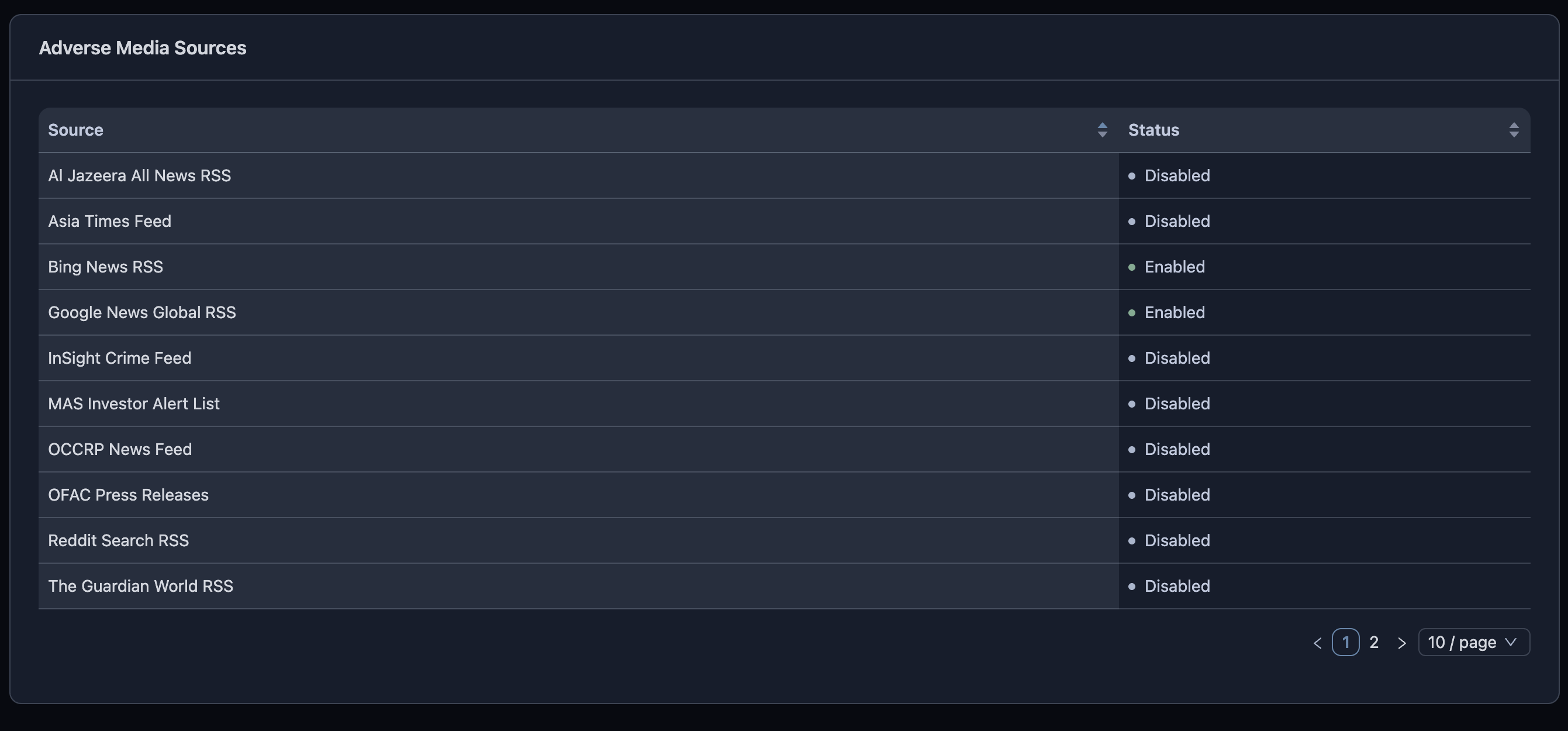
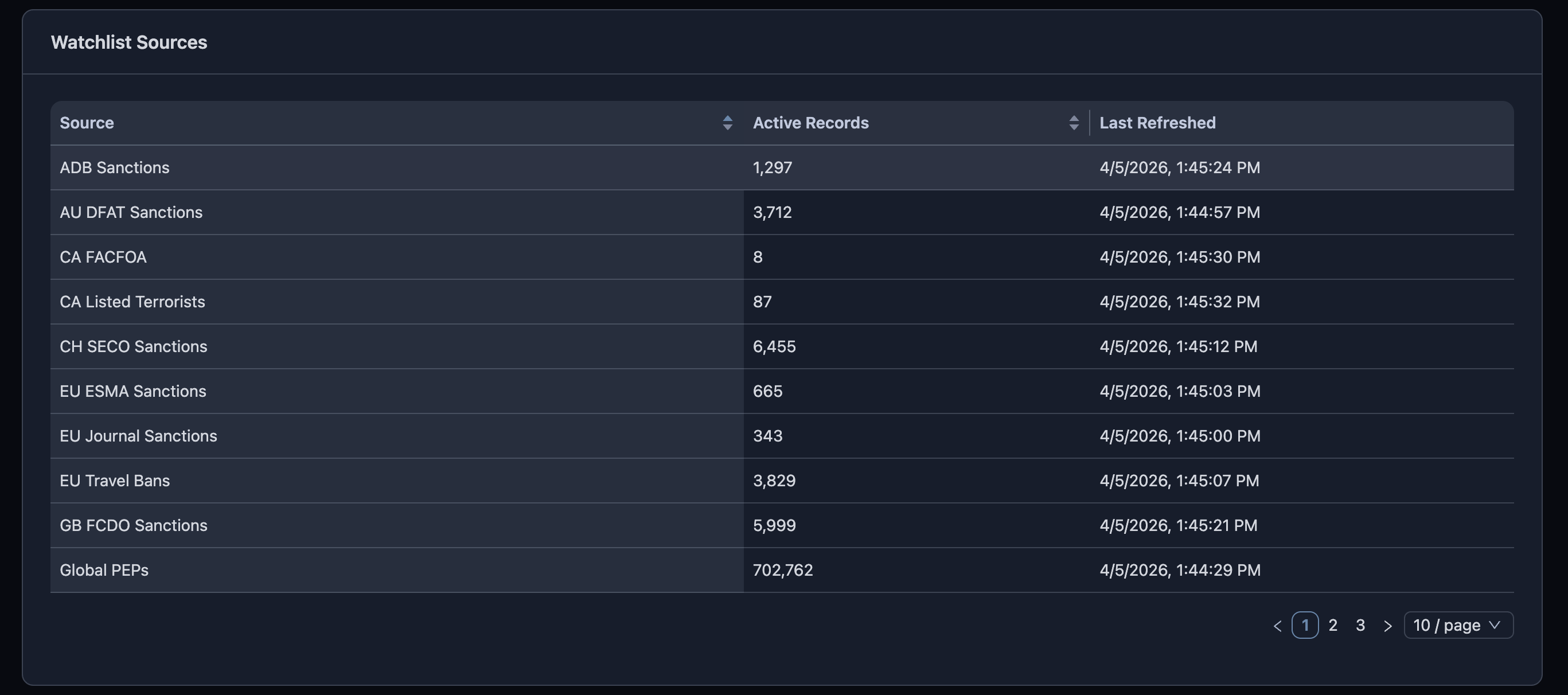
Active screening sources
Source coverage overview
Monitor all active screening sources and verify freshness, type, and current status at a glance.
Source-level detail
Inspect source-specific metadata and operational details used to validate screening quality.
Workflow snapshots
Investor screening queue
Sort investors by risk level, account type, nationality, and open-hit load.

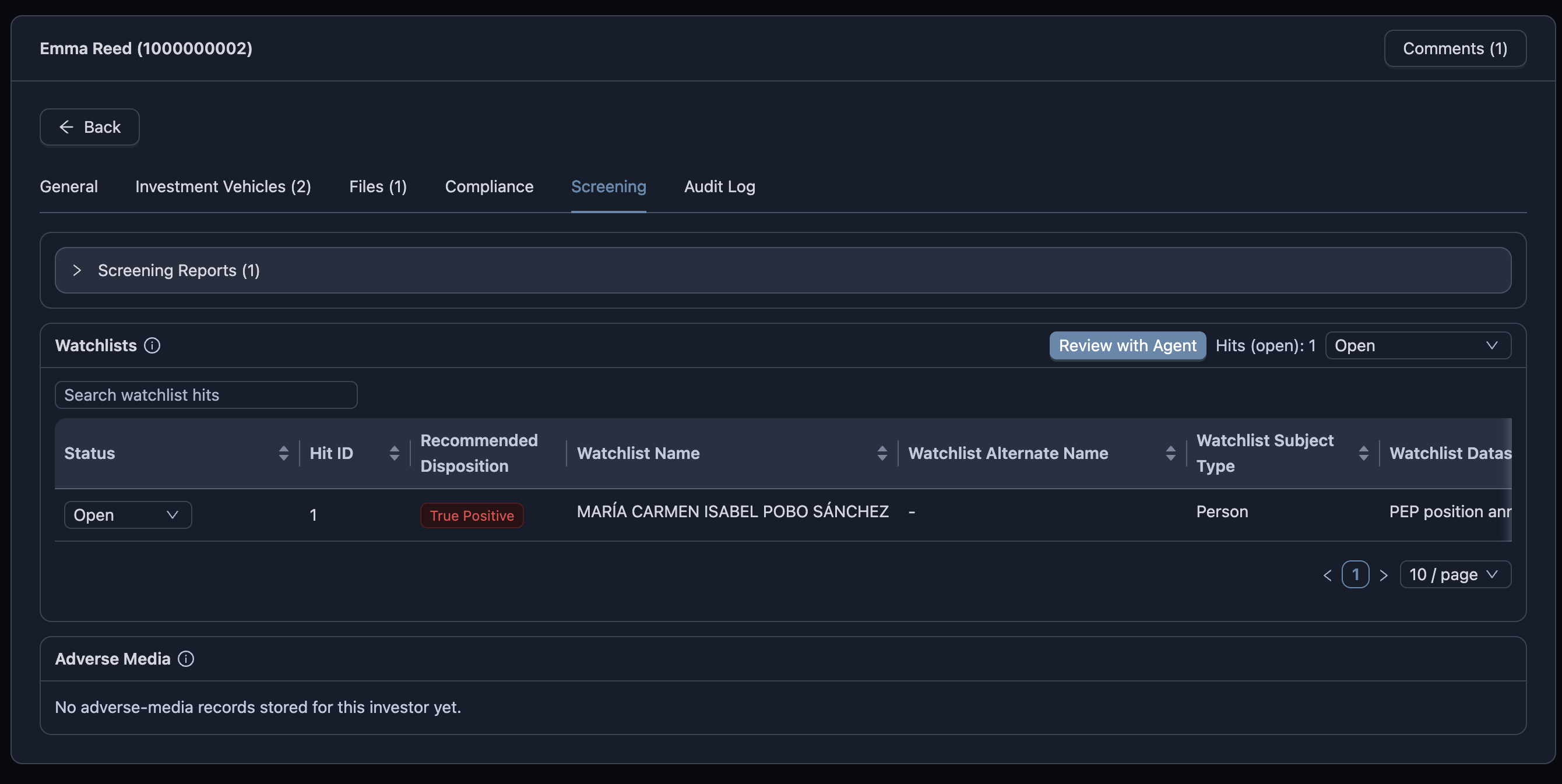
Screening with recommended disposition
Review hit outcomes with a suggested disposition and supporting rationale before analyst sign-off.
Profile general details
Review account, identity, and relationship fields with timeline comments in one panel.

Investment vehicle linkage
Track associated funds and legal vehicles linked to an investor profile.

See this with your own policies
We can run a guided walkthrough mapped to your sanctions, PEP, adverse-media, and escalation workflows so your team sees practical fit before rollout.